How we test email tool migrations
Disclosure: This article may contain affiliate links. We may earn a commission at no extra cost to you. Our findings are based on independent testing.
Switching email platforms is where subscriber lists quietly get damaged: a tag that doesn’t survive the move, a custom field mapped to the wrong place, an automation that never fires again. Review articles rarely catch this, because most of them never actually perform the migration.
PortMyMail exists to do the unglamorous part. This page explains exactly how we test, using our first migration — Mailchimp to MailerLite — as the worked example.
The method
- Free accounts on both sides. If a migration cannot be tested on free plans, we say which step required a paid tier.
- A seeded test list. We build a small list with realistic imperfections: tagged contacts, custom fields, and a few awkward email addresses.
- The provider’s own tool first. We run the official migration wizard or importer before trying any manual workaround.
- Record-by-record verification. After the move we compare counts, fields, tags and groups on both sides — not just the success screen.
What the first test showed
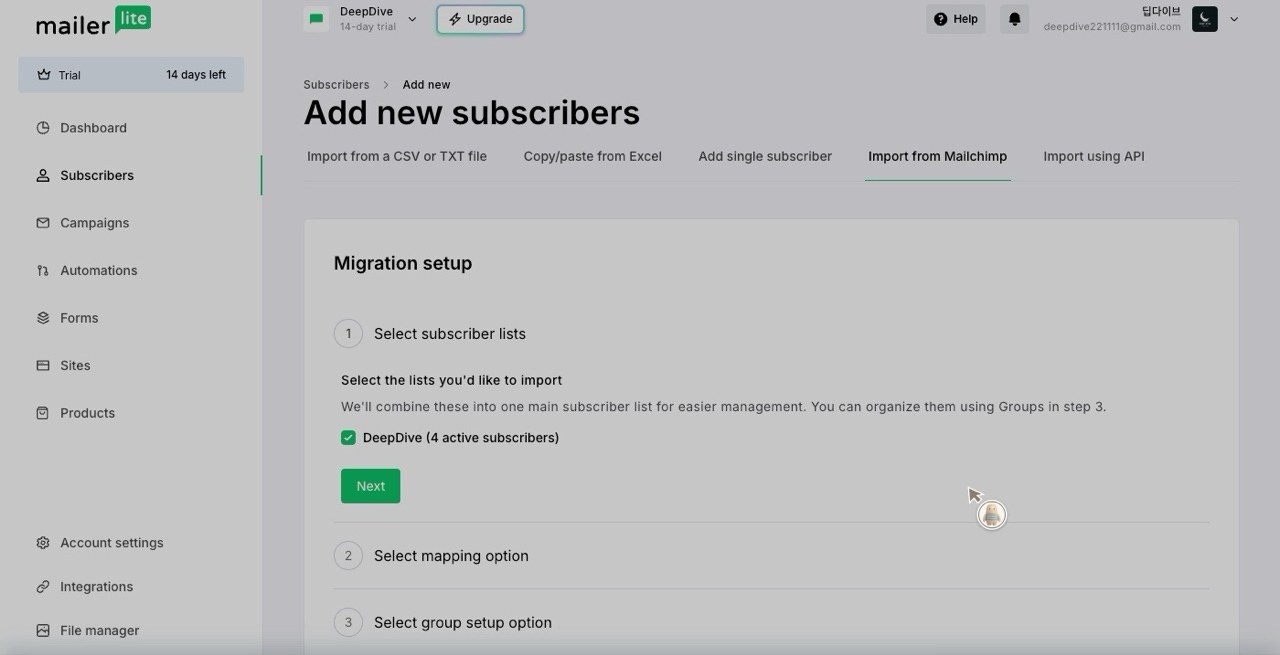
MailerLite’s Mailchimp migration runs through a six-step wizard once you connect a Mailchimp API key. Three findings from our run are worth knowing before you start:
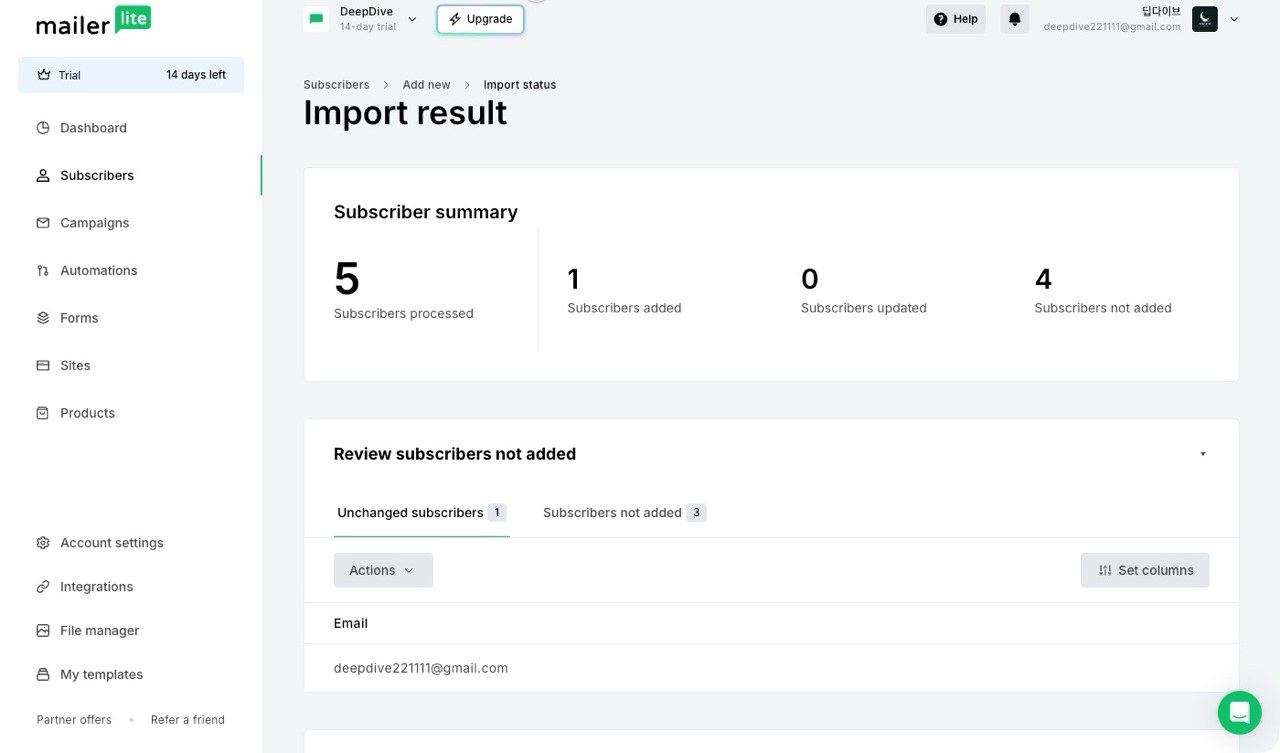
- Imperfect addresses get flagged, not imported. Addresses with “+” aliases were rejected as “suspiciously formatted” and skipped on the first pass. Editing them in place (we used dot variants of the same addresses) let them through — but nothing warned us they would be skipped until the results screen.
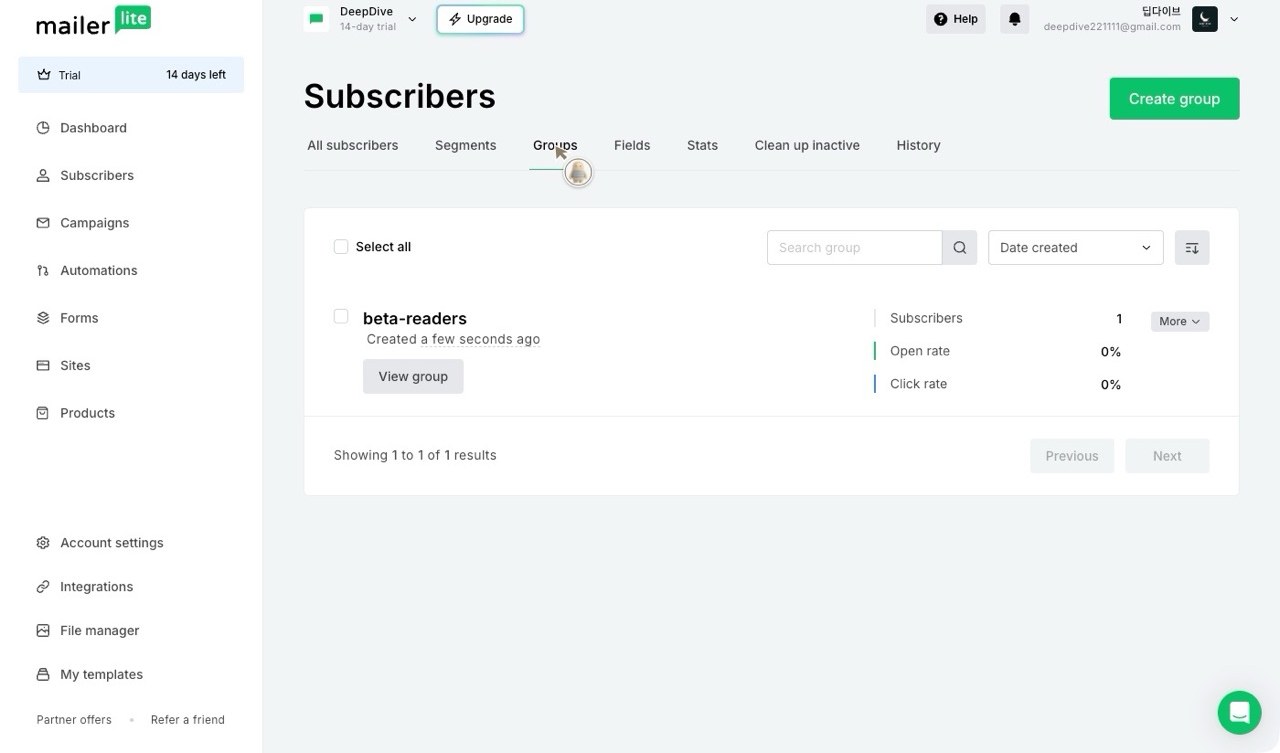
- Tags become groups. Our Mailchimp tag was recreated automatically as a MailerLite group with the same name, and tagged contacts landed inside it. The Mailchimp audience itself, however, does not become a group — it merges into the general subscriber pool.
- A second sync is incremental. Running the sync again picked up only the contacts added since the first run, instead of duplicating the list.
None of these are deal-breakers. All three are exactly the kind of detail that decides whether a migration feels painless or costs you a weekend — and none of them appear in the official overview. The full step-by-step guide, with screenshots of every stage, is in preparation.
Our commitments
- Every migration guide is performed before it is written. No exceptions.
- When something cannot be tested (a paid-only feature, a region lock), the guide labels it as untested.
- Prices are checked against the provider’s own pricing page on the day of publication, and the check date is printed in the article.
From the test itself: the November 3, 2026 run
Screenshots below are from our own test accounts (Mailchimp Free and a MailerLite trial), captured during the migration described above – not vendor marketing images.